Showing posts with label Linux. Show all posts

Saturday, January 12, 2013

Raspberry Pi and eXtplorer

Over the last few months as I have been working with the Raspberry Pi, I have been using eXtplorer as a file manager and text editor. It is PHP and runs from the RPi's web server. This is a great way to write code on the RPi from your desktop or from any web browser. I figured that I should share it since it is such a great tool. It should almost come with Rasbian. You can find it here: http://extplorer.net/

Here are some pictures of it running on the RPi:
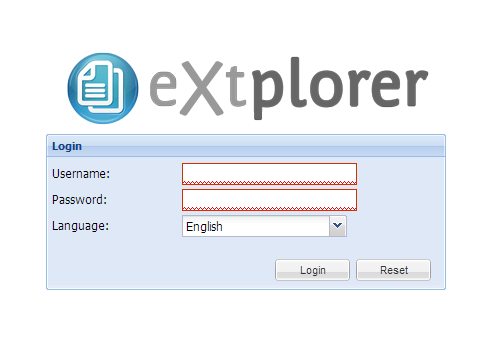
eXtplorer Login Screen


eXtplorer File Manager


Some of the great features are listed below (from their site). This is a must needed tool for working on the Raspberry Pi! I can't live without it.


eXtplorer Features

The Main Features of eXtplorer are:
  • Copy & Move Files and Directories by Drag&Drop
  • Dynamic Directory Tree with on-demand loading of subdirectories
  • Edit Files (with Syntax-Highlighting thanks to EditArea)
  • Rename, Delete or Create new Files and Directories
  • Access Files through ''FTP'' or directly (using PHP) to totally overcome permission and file ownership issues
  • Upload or Download files just as you like
  • Create and Extract Archives (ZIP, Tar, Tar/GZ, Tar/BZ)
  • User Management with different permission levels like "View only" or "Edit" and "Admin"

One of the features not list above is you can set Linux permissions and when working with multiple files they each can be viewed in their own tab.  This interface uses the extJS4 interface library which I would love to learn. I messed with it a bit but I need to spend more time on it. It would be a great environment to develop my entire Home Automation and Robot controls in.

Do you use or have you heard of eXtplorer? Let us know, I'm always looking for other projects!

Sunday, August 26, 2012

Raspberr Pi: htop

In my other posts, I forgot to mention that I use htop instead of top for viewing processes.

If you want to install run:

$ sudo apt-get install htop

and to run:

$ htop

It works nicely, it's colored, and it's easy to use with the arrow keys.


Sunday, August 12, 2012

Raspberry Pi and Motion Graphing


This week was the week of Raspberry Pi goodness and lots of coding. Now that I had the PIR sensor working, I wanted to do something with that data over time. I decided to log the data to MySQL running on my web server instead of the Pi. The Pi is awesome but I didn't want the overhead of running MySQL  on it along with writing constantly to the SD Card. Here is how I did it, after the break.

Raspberry Pi and Wheezy

I finally decided to take the plunge and upgrade to Debian Wheezy. I have been putting it off because Squeeze works and it would involve re-configuring everything I have setup so far. At the same time, the longer I wait the more stuff there will be to setup. The great thing about re-installing: I get to do a clean install without the mistakes of figuring things out. It is also a refresher of how I got where I am now. Jump below for notes about the upgrade process.

Wednesday, July 11, 2012

Raspberry Pi and GPIO Permissions


It works! Okay, back up a little. Getting a PHP web interface to talk to hardware proved to be rather difficult. You need root access to control hardware but the web service runs with minimal permissions. So how does one bridge the gap without compromising the system? The answer, very carefully. I found a few workarounds but they involved either using MySQL or the gpio-admin library that works from commandline or shell scripts. In my case I wanted to stay with using C programs with the wiringPi library being called from PHP. C is much faster to control GPIO and PHP gives me a web front end. Here is how I did it.

Tuesday, June 12, 2012

The Raspberry Pi is Running: Getting You There

Excited, I ripped open the package to find my Raspberry Pi. The packing looked like it had been run over but my Pi was still intact. Yay! First thing I realized I needed to find a power source and a SD card. After some digging I just ended up using an iPad power adapter with a cell phone micro USB cable. I was going to use my Galaxy S power adapter but I didn't want to run it close to the limit of 700ma. For some reason I thought I had plenty of SD cards around, but I guess not. Luckily Best Buy had a 32GB Sandisk Ultra class 10 available in store for $27. Perfect!

Raspberry Pi packaging, amazing it wasn't damaged