Showing posts with label reviews. Show all posts

Monday, April 13, 2015

Review: Hummingboard

I came across the Hummingboard while reading Engadget. This isn’t your run-of-the-mill Linux board, it’s jam-packed with features that other boards don’t have. The main feature that sets this board apart from the others is that the SOC is socketed and swappable. What a great idea! Need more power for your project or different board features? Just swap out the SOC module or board and now you can have an expanded set of features all while using the same platform.

Does this new board look strangely familiar for some reason?
This board shares the same footprint and IO layout as the Raspberry PI.


Thursday, February 6, 2014

USB Tester Backpack 2.0 Review

Thanks to aerodynes, for the great review of our new USB Tester and Backpack 2.0.

"This is a test and review of the new version of the FriedCircuits USB tester and backpack. If you read my previous articles on the backpack and its extensions, you already know that I am a big fan of this simple and very useful tool. ..."

Read the complete review here:
http://www.aerodynes.fr/2014/02/05/friedcircuits-usb-tester-and-backpack-reloaded/


Sunday, October 20, 2013

Raspberry Pi Camera Module + PiBow

Previously I show how to mount the Raspberry Pi module in the Pimoroni camera mount, but now we need to connect it. Connecting the camera to the RPi is pretty easy if you are careful and there plenty of guides, but I wanted to use it with the Pibow case. The new PiBow cases have a slit for the ribbon cable but if you have the older version, you can make it work. Here is how I did it:


Check out this post about using the camera and real-time streaming with mjpg-streamer.


Friday, October 4, 2013

PiGlow from Pimoroni

In a recent Adafruit order I couldn't resist picking up the new PiGlow for the Raspberry Pi. This is a neat 18 LED add-on that connects to the GPIO header of the Raspberry Pi and communicates over I2C. With the example Python code, I was blinking in color in no time.

You can buy them from Adafruit in the US or directly from Pimoroni in the UK. The Pimoroni site has all the links to get you started. I used the link to Jason Barnett's Gihub which has a in depth how-to and a lot of examples to get you started and playing in color.


The LEDs are in a spiral pattern, making for a great binary clock, which is included in the code examples. I ended up taking it to work leaving the clock to run all day. Within the clock example you can set the LED brightness. All of the 18 LED brightness can be set from 0 to 255. I can tell you that 255 is super bright, I mean especially bright, as in put on your sunglasses. Especially the white LEDs in the center. Which just made me think of one cool project. With a PIR and light sensor you could make a hallway light, and even tweet when it is activated. That is how bright the white LEDs are.

All the LEDs are a single color. Starting from the center you have white, blue, green, yellow, orange, and red. Plenty to play around with. One great feature is that if you have their PiBow case, it fits with the case completely closed.


I think its a great addition to the Pi and there is so much you can do with it. The only thing I would like to see is maybe a version that doesn't block all the GPIOs with maybe a stacking header. It only uses power and I2C but you lose access to the rest. You could use a breakout like Adafruit's Cobbler or T-Cobbler and then connect the needed connections to the PiGlow.

This can be a great learning tool for someone new to the Raspberry Pi and Python. You can learn Python with instant feedback.

Thursday, August 29, 2013

Raspberry Pi Camera with Pimoroni's Camera Mount

In my last Adafruit order, I decided to get the Raspberry Pi camera and the Pimoroni Raspberry Pi Camera Mount. This has been on my to-buy list for quite some time. I first saw the camera in person at Hacker Dojo when Rob from RPi came on his tour in the States. I am really excited to see what fun stuff I can come up with. In the past I have used a webcam on my desktop with ActiveWebCam to stream my entry-way to keep tabs on it. I want to try the Raspberry Pi to replace this setup as well as other projects. I have may have to put a few more cameras to go with all the Pi's on my desk.

The camera comes in a static bag with a how-to card and in the same box as the Raspberry Pi comes in.

Raspberry Pi Camera Box and Camera Mount

Contents of Raspberry Pi Camera

Monday, July 8, 2013

Sparkfun ISP Pogo Adapter

Each Friday, Sparkfun uploads a new video showcasing some of their recent products. One of June 28th's new products was an ISP adapter that uses Pogo pins. This is great for programming multiple boards or if you just want to load the boot loader without soldering headers.


Saturday, January 12, 2013

Raspberry Pi and eXtplorer

Over the last few months as I have been working with the Raspberry Pi, I have been using eXtplorer as a file manager and text editor. It is PHP and runs from the RPi's web server. This is a great way to write code on the RPi from your desktop or from any web browser. I figured that I should share it since it is such a great tool. It should almost come with Rasbian. You can find it here: http://extplorer.net/

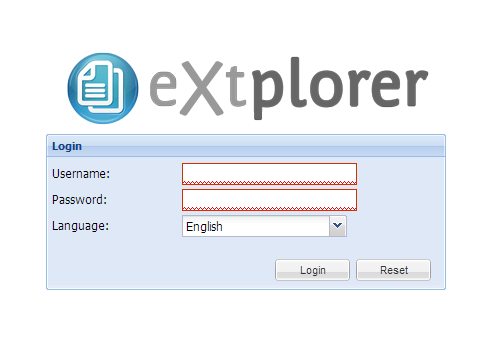
Here are some pictures of it running on the RPi:

eXtplorer Login Screen


eXtplorer File Manager


Some of the great features are listed below (from their site). This is a must needed tool for working on the Raspberry Pi! I can't live without it.


eXtplorer Features

The Main Features of eXtplorer are:
  • Copy & Move Files and Directories by Drag&Drop
  • Dynamic Directory Tree with on-demand loading of subdirectories
  • Edit Files (with Syntax-Highlighting thanks to EditArea)
  • Rename, Delete or Create new Files and Directories
  • Access Files through ''FTP'' or directly (using PHP) to totally overcome permission and file ownership issues
  • Upload or Download files just as you like
  • Create and Extract Archives (ZIP, Tar, Tar/GZ, Tar/BZ)
  • User Management with different permission levels like "View only" or "Edit" and "Admin"

One of the features not list above is you can set Linux permissions and when working with multiple files they each can be viewed in their own tab.  This interface uses the extJS4 interface library which I would love to learn. I messed with it a bit but I need to spend more time on it. It would be a great environment to develop my entire Home Automation and Robot controls in.

Do you use or have you heard of eXtplorer? Let us know, I'm always looking for other projects!